Go from raw LC-MS files to reproducible statistical and pathway results. Learn the shared data structure and each functional package, then follow the complete workflow. This guide covers the R packages in the website catalogue; the R Shiny application has its own tutorial.
- Installation and versions
- tidymass — Install and manage the ecosystem
- massdataset — Create, inspect and exchange datasets
- massconverter — Convert vendor files
- massprocesser — Detect peaks and align samples
- masscleaner — Filter, impute and normalize
- massqc — Assess and report quality
- massdatabase — Retrieve and build reference resources
- metid — Annotate features and inspect spectra
- massstat — Explore variation and compare groups
- metpath — Analyze pathways and feature modules
- masstools — Work with formulas, spectra and IDs
- MetNormalizer — Use the standalone normalization workflow
- Complete LC-MS analysis workflow
Visual guide: the route through this chapter
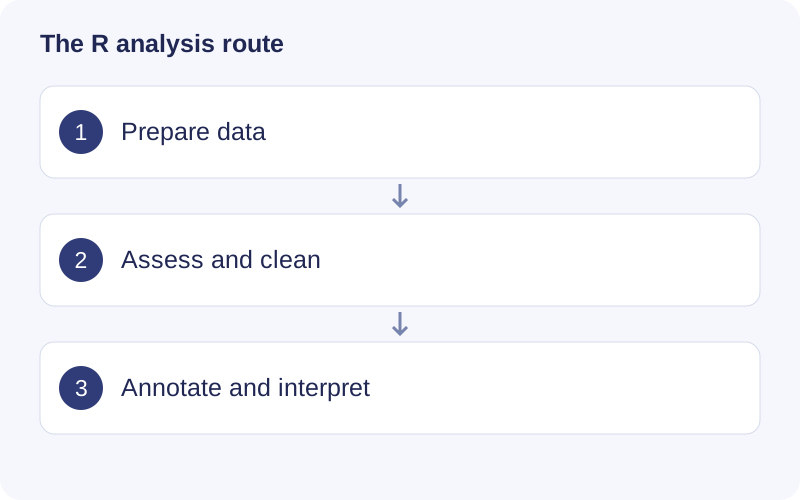
Start with installation and massdataset if your input is a peak table. Start with massconverter and massprocesser if your input is raw instrument data. Follow the complete workflow to connect the objects; use individual package chapters when you need to change one step.
Version basis
Versions reflect official source metadata checked on September 23, 2026. Desktop-bundled versions, development branches, mirrors and installed environments may differ. Save your own sessionInfo for each analysis.
| Package | Version | Source |
|---|---|---|
| tidymass | 2.0.10 | Source |
| massdataset | 0.99.3 | Source |
| massconverter | 1.0.3 | Source |
| massprocesser | 1.0.11 | Source |
| masscleaner | 1.0.12 | Source |
| massqc | 1.0.8 | Source |
| massdatabase | 1.0.14 | Source |
| metid | 1.3.2 | Source |
| massstat | 1.0.6 | Source |
| metpath | 1.0.10 | Source |
| masstools | 0.99.1 | Source |
| MetNormalizer | 1.3.02 | Source |
The historical R tutorials retain their original addresses for older projects.