Process and analyze LC-MS data through the independent tidymassshiny browser interface. For the desktop application’s Shiny tools installer, use the macOS/Windows guide.
The checked public source reports tidymassshiny 1.0.0. Hosted deployments and Docker images may use different builds; record the version actually running.
- Install or access R Shiny
- Create a project and import data
- Assess quality and clean data
- Annotation, statistics and enrichment
- fMSEA, FPA and database toolkits
- Save results and solve problems
Application source · Original complete tutorial
Visual guide: the route through this chapter
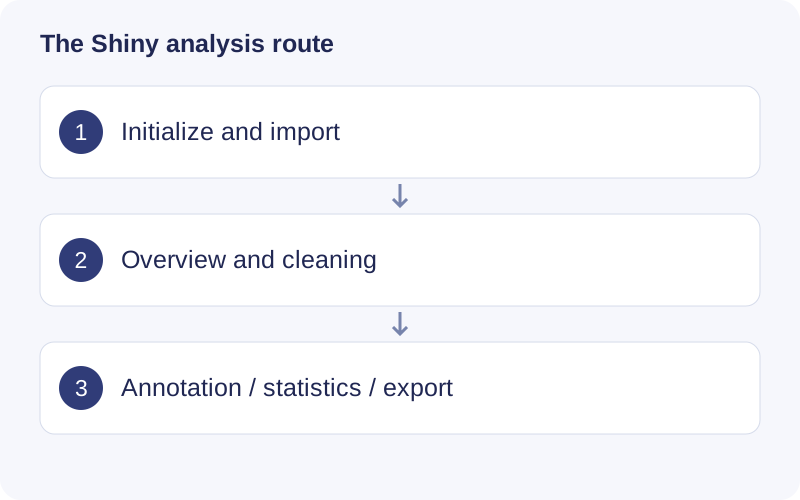
Follow the top navigation from project initialization to downstream analysis. Save the project location or hosted JOB ID early. Positive and negative ion modes have separate views; check the active polarity before reading any table or plot.
Walkthrough: Initialize a Shiny project
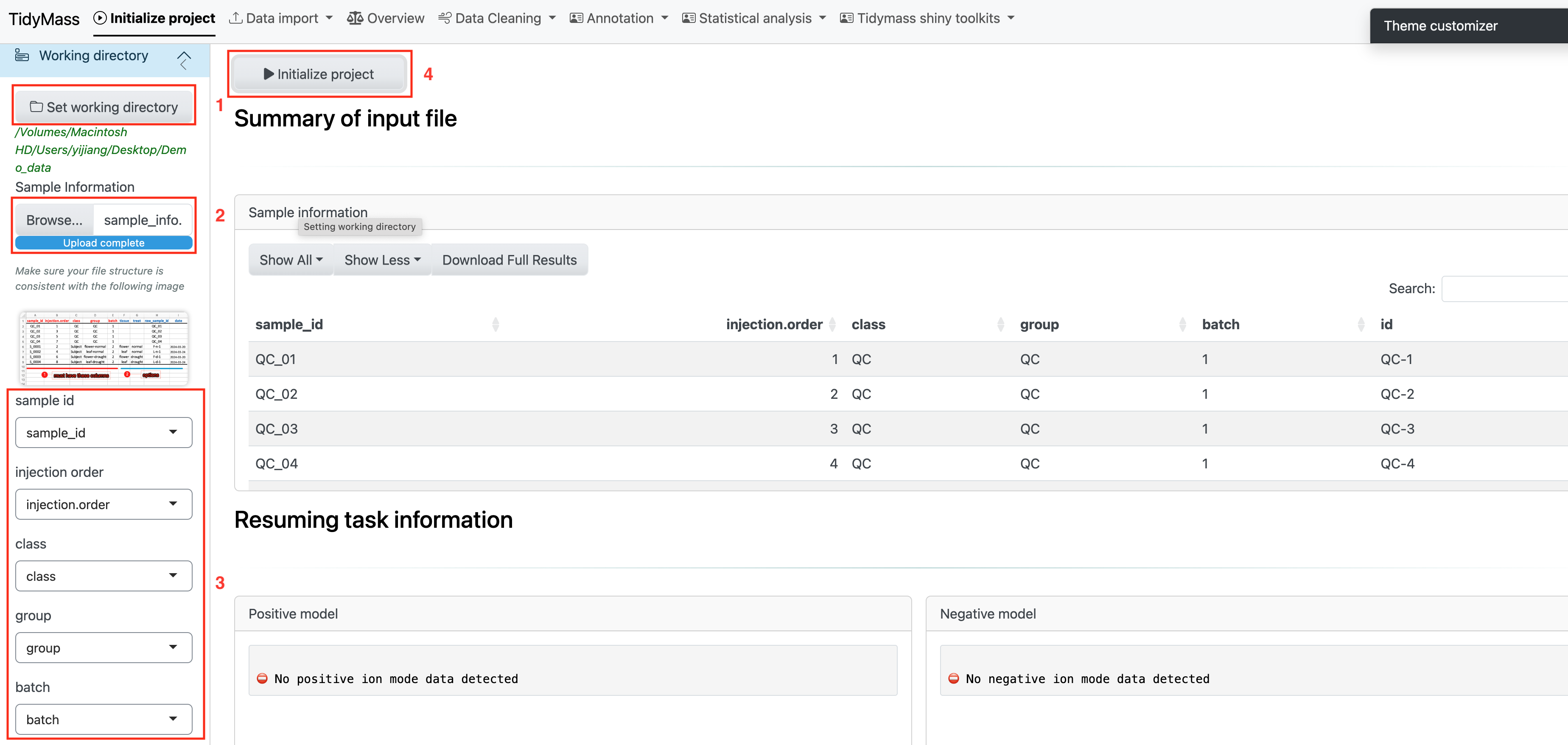
- Open Initialize project and choose a working directory visible to the R process. Name the study before importing data.
- Confirm the project is initialized, then choose the input route from Data import. Keep separate projects for independent analyses.