Based on the current published tutorial and the public tidymassshiny 1.0.0 source; checked September 23, 2026.
Visual guide: the route through this chapter
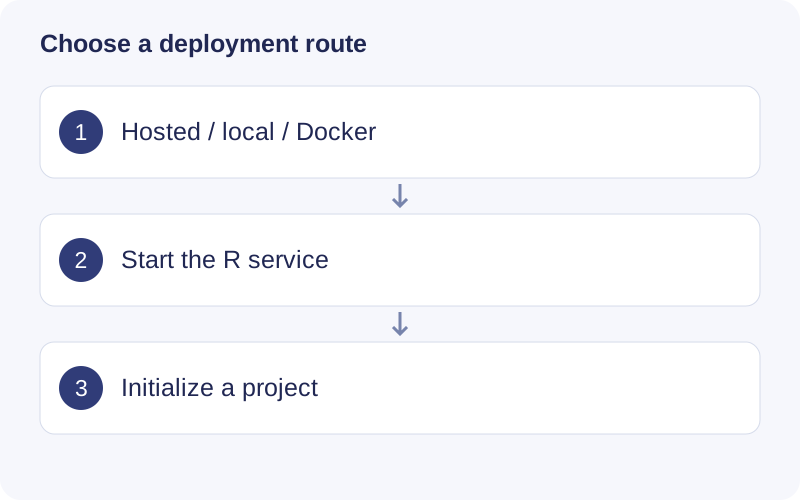
For local use, keep the R console running while the browser is open. The browser shows the interface but R performs the analysis. With Docker, select files under the mounted container path. On a hosted service, upload files and retain the JOB ID.
Choose where to run
The hosted application runs on a remote server. The published guide describes a 512 MB upload limit and deletion of results after 24 hours; these are service settings and can change. Follow the notices shown by the running service, save the JOB ID, and download results with Download All Data before leaving.
A local installation runs R on your computer and provides access to your local files. Docker runs the app in a container; only mounted host folders are visible there. Choose a local or appropriately managed server installation for data that should not be uploaded to the public service.
Install the R package
Use an R version compatible with all dependencies. Although the app declares R ≥ 4.1, current companion packages can require R ≥ 4.5. Run the following in a writable R library. Repository dependencies can also require GitLab, CRAN and Bioconductor access.
if (!requireNamespace("remotes", quietly = TRUE)) install.packages("remotes")
if (!requireNamespace("BiocManager", quietly = TRUE)) install.packages("BiocManager")
install.packages(c("tidyverse", "writexl", "hexbin", "ComplexUpset",
                   "shinyalert", "colourpicker"))
remotes::install_github("tidymass/tidymass")
remotes::install_github("tidymass/massdatabase")
remotes::install_github("tidymass/massdbbuildin")
remotes::install_github("tidymass/tidymass_shiny")
library(tidyverse)
library(tidymass)
library(tidymassshiny)
run_tidymass_shiny()
Wait for the listening address and open the application in your browser. Keep the R process running. Check packageVersion("tidymassshiny") and retain sessionInfo() when reporting a problem. Install missing optional module dependencies from their correct source rather than assuming every toolkit ships with the core app.
On macOS, a Cairo/X11 error can require XQuartz and the appropriate Cairo setup. Follow the actual error; a failure compiling a system library is not repaired by repeatedly reinstalling unrelated R packages.
Docker
Install and start Docker. Replace the host directory below with your own existing data folder:
docker pull tidymass/tidymassshiny:latest
docker run --rm -p 127.0.0.1:3838:3838   -v "/absolute/path/to/data:/home" tidymass/tidymassshiny:latest
Open http://localhost:3838 after startup. Inside the app, select the mounted /home path. On Windows, use the actual drive path and Docker’s supported volume syntax. Verify Docker has access to the directory. Record the resolved image digest for reproducibility because the latest tag can move.
Managed server
For a shared server, use a supported R/Shiny Server environment, an application service account, persistent working directories and the required R/system dependencies. Configure authorized users’ file access, resource limits and the public endpoint with the administrator. A shinyFiles picker sees the filesystem of the R server, not arbitrary folders on a remote browser user’s computer. Upload controls are the route for transferring browser-side files.
The older tutorial includes Ubuntu-specific deployment examples. Check their suitability for your server instead of copying obsolete OS repository keys or version-pinned installer URLs blindly.
Original tutorial and screenshots
Walkthrough: Check the project entry after launch
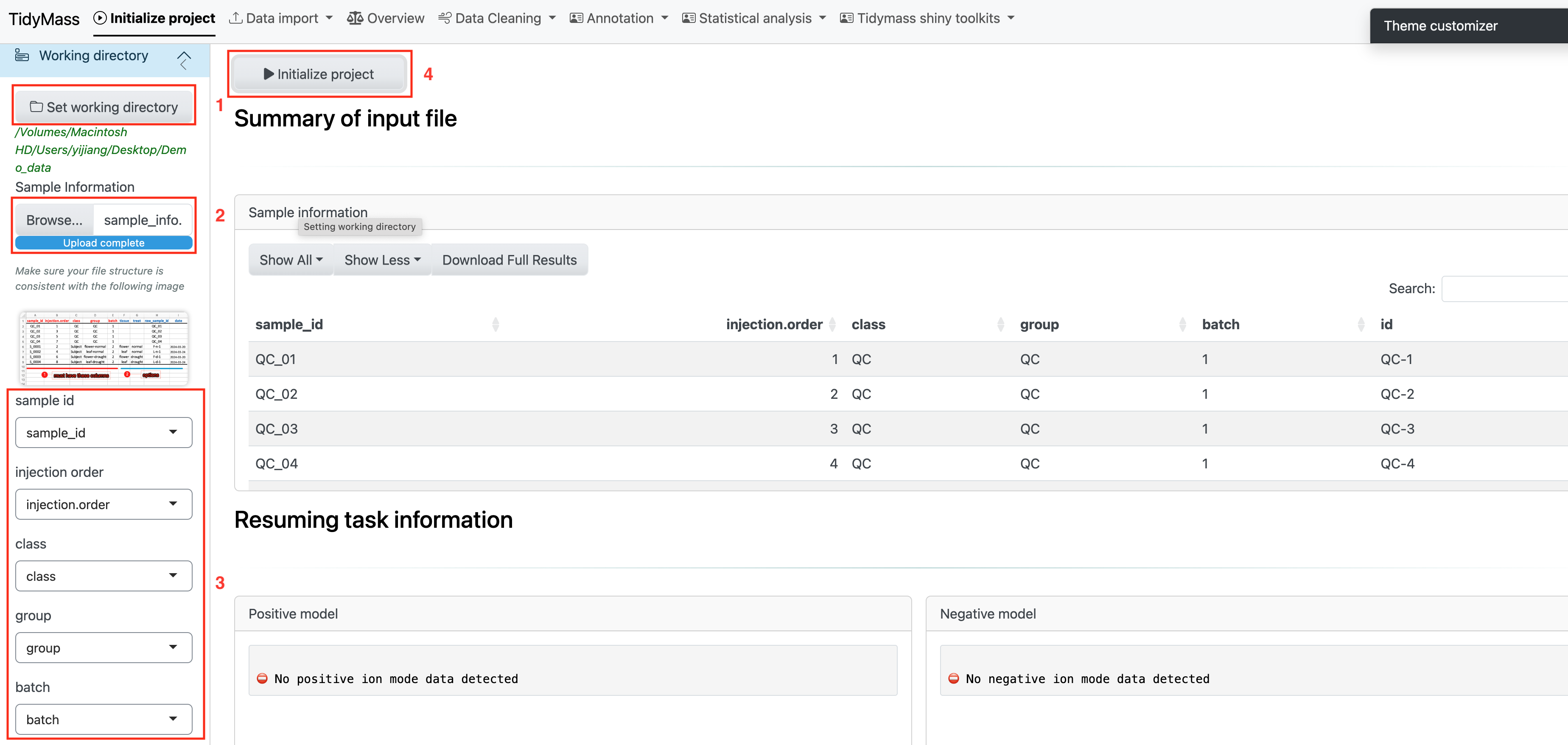
- The appearance of the app navigation confirms that the browser has connected to the service; it does not confirm access to your data directory.
- Initialize a small project in a writable location. For Docker, use the mounted path; for the hosted app, follow its upload and JOB ID workflow.