Based on the current published tutorial and the public tidymassshiny 1.0.0 source; checked September 23, 2026.
Visual guide: the route through this chapter
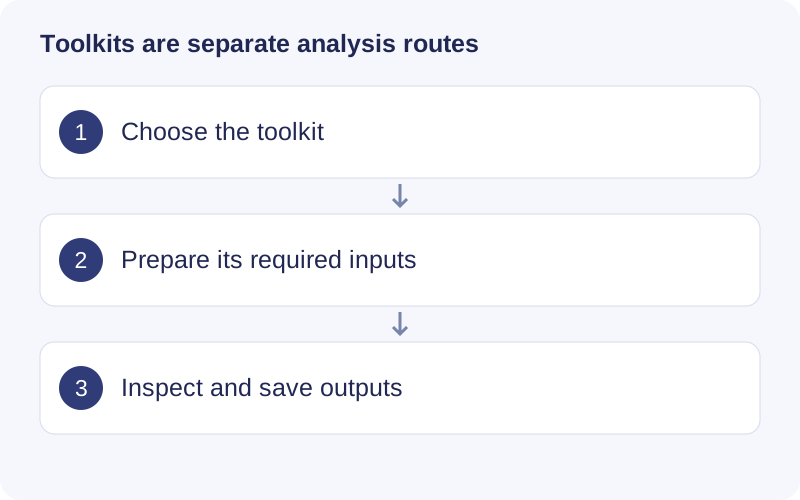
Read the input panel for the chosen toolkit. fMSEA uses feature-level inputs and module analysis, while compound-based pathway enrichment uses mapped compound IDs. Save the chosen parameters and mapping outputs; an optional language-model explanation is not experimental evidence.
fMSEA
Open Tidymass shiny toolkits → fMSEA Analysis. Load the required R data files: a processed Feature Table, an MS1 Database (KEGG/HMDB as supported) and a Pathway Database. The published module lists KEGG, HMDB, IMETPD, Reactome and WikiPathways resources. Use the module’s demo/file schema, not an arbitrary renamed CSV.
- Run Step 1: configure column, database type, MS1 ppm, RT clustering tolerance and isotope count. Inspect candidate assignment before enrichment. The tutorial examples use 15 ppm, 10 s and three isotopes; adapt them to your data.
- Run Step 2: set threads, minimum/maximum pathway size, permutations, iterations and FDR threshold. The published defaults include 1,000 permutations and pathway sizes of 15–300; these are computational choices, not guaranteed optimal settings.
- Select a row in Significant Modules Table to display its enrichment-score profile. Save full results and settings, not only a significant plot.
An existing compatible results object can be loaded for visualization without rerunning Steps 1–2. Feature-based enrichment preserves uncertainty from candidate assignment; it does not identify every contributing compound.
Optional LLM evaluation
The module offers matrix-relevance and literature-relevance evaluation. Configure the sample source or research topic and the selected provider’s API settings, then run the requested evaluation. This step is optional: a missing endpoint/key means it has not run. Do not substitute generated scores for statistical validation or verified literature evidence. Check what information is sent to the selected service before using private study details. Download evaluation results separately from the enrichment tables/PNG/PDF plots.
Feature-based pathway analysis (FPA)
Use the toolkit’s FPA entry with the required feature data, ion mode and compatible pathway/candidate resources. Review feature grouping, isotope/adduct assumptions, mass tolerance and the null/permutation settings offered by the installed module. Run, inspect contributing features and export the resulting modules with parameters. Consult the metpath guide for the R interfaces and interpretation. FPA and fMSEA are distinct analyses; their output scores are not interchangeable.
Construct an in-house metabolite database
Acquire standard compounds under conditions comparable to the study. Prepare metabolite metadata and MS2 according to metid’s database schema. In the toolkit, select the CSV with File Path, inspect Construction Parameters, then Build Database. Verify m/z, RT, names and spectra, assign a descriptive database identifier and use Download Database.
Put the resulting .rda in a dedicated annotation-database folder and select it during annotation. Saving an object with an in-house label does not replace verification of standards and acquisition conditions.
Build a species-specific KEGG database
Find the intended organism code, for example hsa or mmu, from KEGG’s organism list. Open KEGG Pathway Database Construction, use Set working directory, enter the code and a request interval (the tutorial uses at least one second), then Download pathway. Monitor network errors and resulting file paths. Verify that pathway IDs carry the intended species prefix before enrichment; preserve retrieval date and organism code.
Convert metabolite IDs
Select the provider under Convert Parameters, choose Source ID Type and Target ID Type, enter queries in Conversion Input and click Convert ID. Inspect failed and one-to-many mappings instead of silently dropping them. API-based services require their credentials. The experimental LLM conversion route may produce incorrect identifiers; verify structures/identifiers independently before using them in a database or pathway analysis.
Screenshot from the existing published tutorial.
Original tutorial and screenshots
Walkthrough: Inspect a functional module
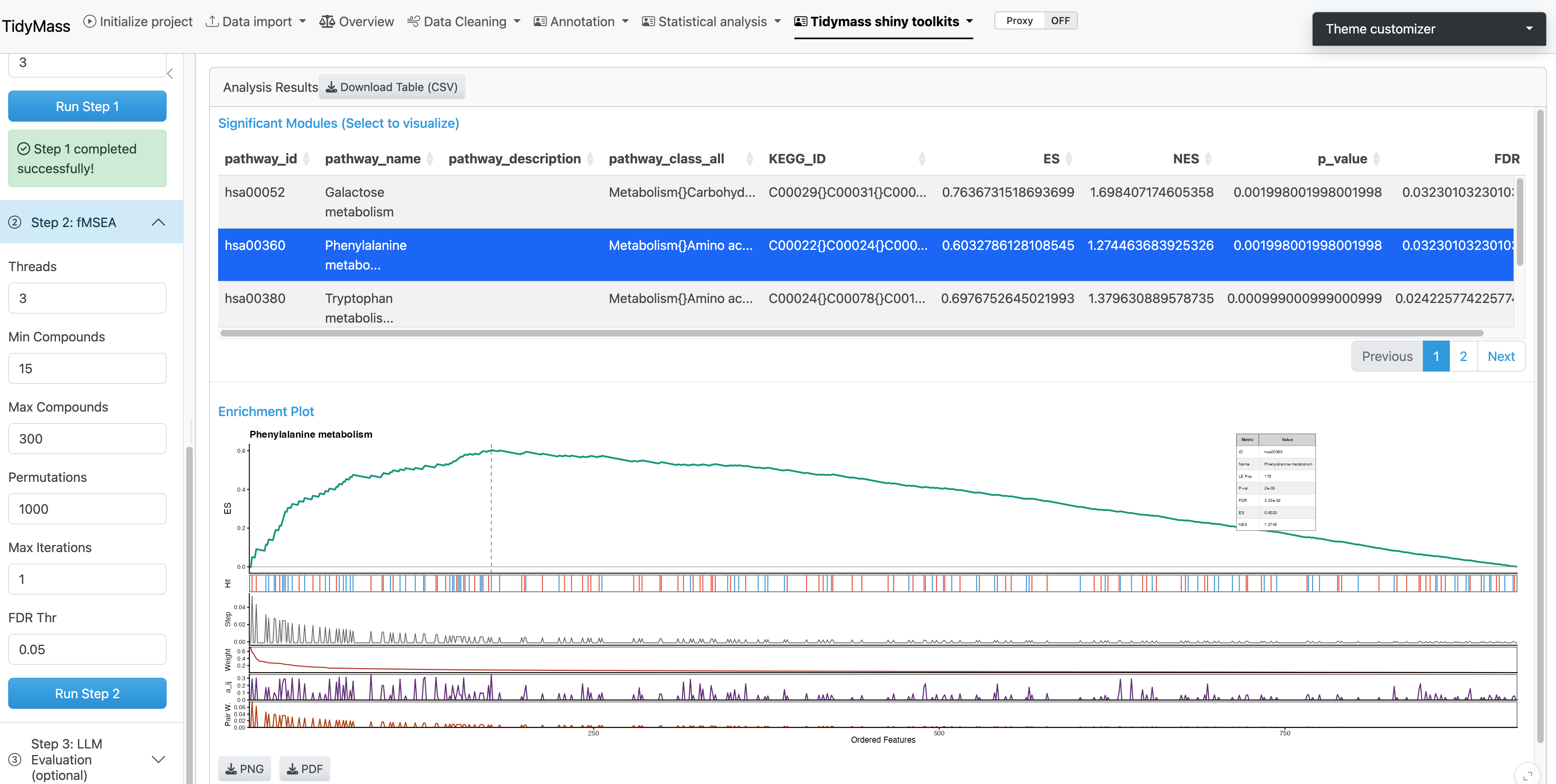
- Complete the required fMSEA input and analysis steps before opening module visualization.
- Inspect the features and relationships in a module, then compare their statistics and candidate annotations. A cluster in the graph is not automatic structural confirmation.
- Save the module tables and visualization settings. Keep optional generated interpretations separate from measured evidence.