Version checked for this guide: 0.99.3 · 2026-09-23
The central mass_dataset combines an expression matrix, sample information, feature information, optional MS2, annotation tables and processing history. Rows of the matrix are features; columns are samples. Its identifiers and ordering must match the metadata.
For your data, read the three tables, preserve IDs as text, place numeric intensities in the expression matrix, and align its columns/rows to sample/feature IDs before calling create_mass_dataset(). The example below uses package data to demonstrate the contract. Use activate_mass_dataset() before a tidy transformation to state whether sample or feature metadata is being edited.
Import MS2 with mutate_ms2() after checking polarity, RT units and precursor/RT tolerances. Use extraction functions to obtain ordinary tables, export_mass_dataset() for interchange and RDS to retain the full R object. Converters support documented MS-DIAL/MZmine, mzTab and SummarizedExperiment routes; inspect their input-specific requirements rather than treating every CSV as interchangeable.
Visual guide: the route through this chapter
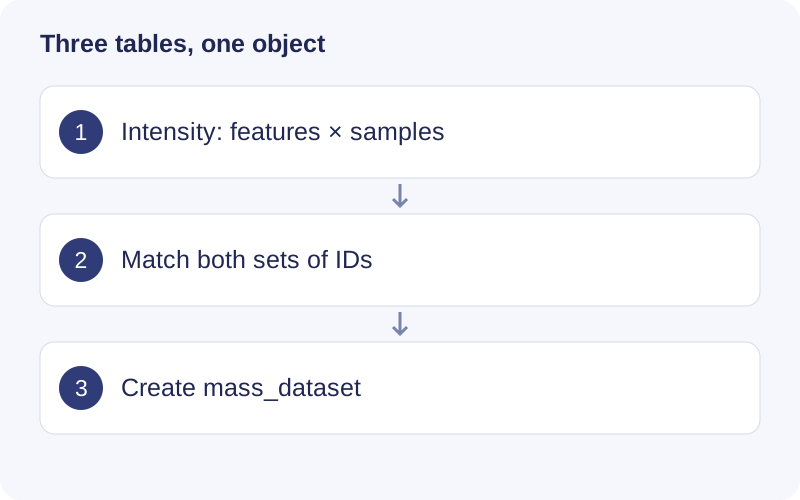
Read the intensity matrix by rows (features) and columns (samples). Its row names must correspond to variable_info$variable_id and column names to sample_info$sample_id, in the same order. After construction, inspect dimensions and metadata before attaching MS2 or annotation results.
Functional scope
Dataset construction and validation; sample/feature editing, filtering, joins and merges; MS2 import and export; annotation and history access; missingness/RSD summaries; data-format conversion.
Example
data("expression_data", package = "massdataset")
data("sample_info", package = "massdataset")
data("variable_info", package = "massdataset")
object <- massdataset::create_mass_dataset(
  expression_data = expression_data,
  sample_info = sample_info,
  variable_info = variable_info
)
head(massdataset::extract_sample_info(object))
head(massdataset::extract_variable_info(object))
saveRDS(object, "dataset.rds")
Find a function
The checked source exports the following APIs, including compatibility interfaces and utilities. Consult the installed version with help("function_name", package = "massdataset") for argument details.
Show exported functions
activate_mass_dataset, adjust_confounder, aes, arrange, case_when, cbind_mass_dataset, check_annotation_table, check_column_name, check_mass_dataset, check_mass_dataset_class, check_object_class, convert_mass_dataset2mztab, convert_mass_dataset2summarizedexperiment, convert_msdial2mass_dataset, convert_mztab2mass_dataset, convet_mzmine2mass_dataset, count, create_mass_dataset, desc, drop_na, export_mass_dataset, export_mass_dataset4metdna, export_ms2_data, extract_annotation_table, extract_expression_data, extract_ms2_data, extract_process_info, extract_sample_info, extract_sample_info_note, extract_variable_info, extract_variable_info_note, fill, filter, filter_samples, filter_variables, get_massdataset_version, get_mv_number, get_sample_id, get_sample_number, get_variable_id, get_variable_number, ggplot, ggplot_mass_dataset, glimpse, group_by, hello_world, intensity_plot, left_join, left_join_mass_dataset, massdataset_conflicts, massdataset_logo, massdataset_packages, match_mz_rt, merge_mass_dataset, ms2_plot, mutate, mutate_all, mutate_annotation_table, mutate_at, mutate_mean_intensity, mutate_median_intensity, mutate_ms2, mutate_rsd, mutate_sample_na_freq, mutate_sample_na_number, mutate_sample_zero_freq, mutate_sample_zero_number, mutate_variable_na_freq, mutate_variable_na_number, mutate_variable_zero_freq, mutate_variable_zero_number, n, parse_tidymass_parameter, pivot_longer, plot_ms2, pull, rbind_mass_dataset, read_mgf, read_mztab, read_mzxml, relocate, rename, rename_with, report_parameters, select, show_missing_values, show_mz_rt_plot, show_sample_missing_values, show_variable_missing_values, slice, slice_head, slice_max, slice_min, slice_sample, slice_tail, split_mass_dataset, summarise, summarise_samples, summarize, summarize_samples, translate_tidymass_parameter, transmute, update_mass_dataset, update_sample_info, update_variable_info, write_ms2_data
Package source and reference documentation · Complete workflow
Walkthrough: Read missingness in the packaged example
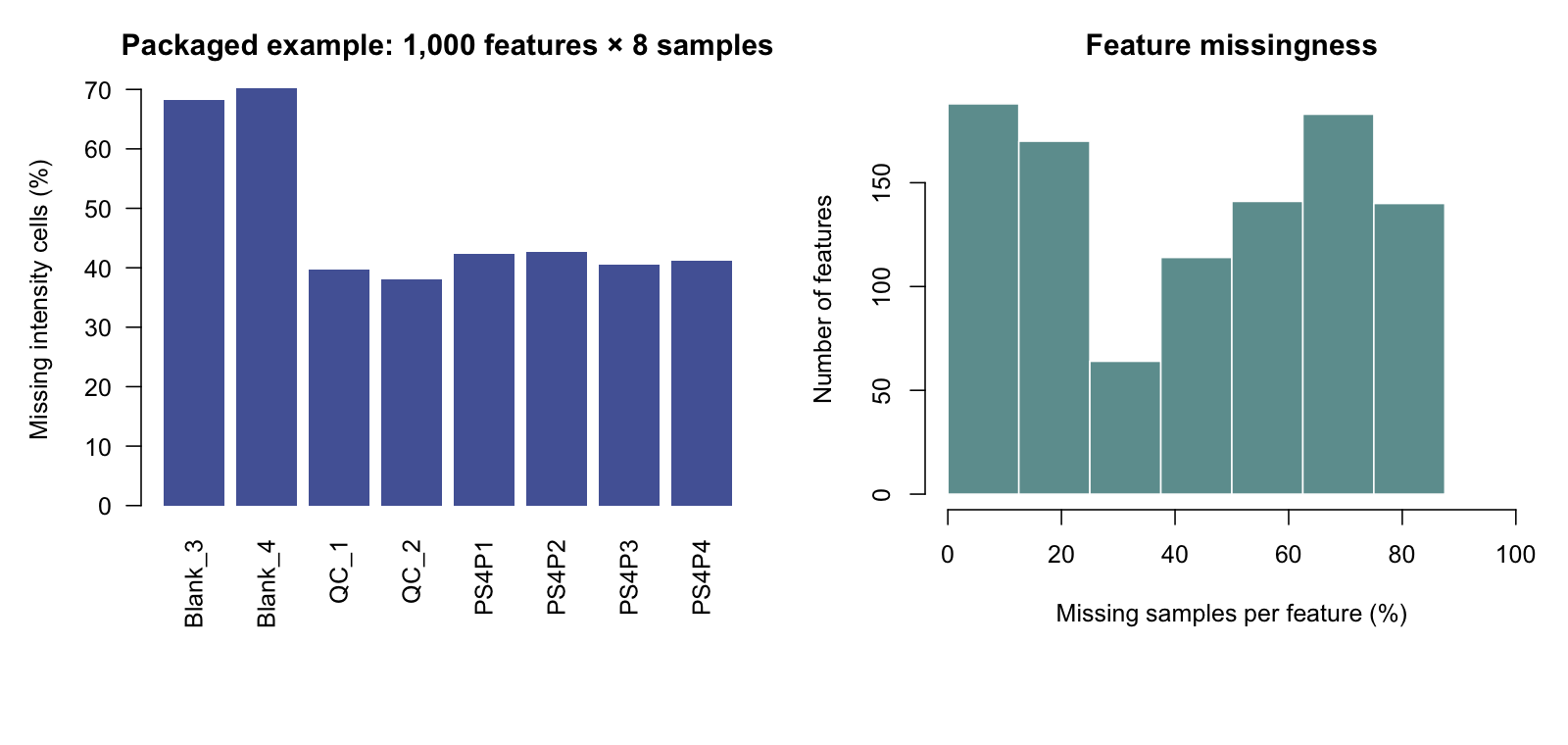
- The left bars show missing matrix cells per sample as a percentage of 1,000 features. Compare samples before deciding whether one is problematic.
- The right histogram summarizes feature-level missingness across eight samples. A feature missing in all samples contributes no quantitative evidence.
- Use these diagnostics to choose and document filtering rules. The plot itself does not prescribe a universal threshold.