Tutorial contents · Applies to: 0.1.63
Visual guide: the route through this chapter
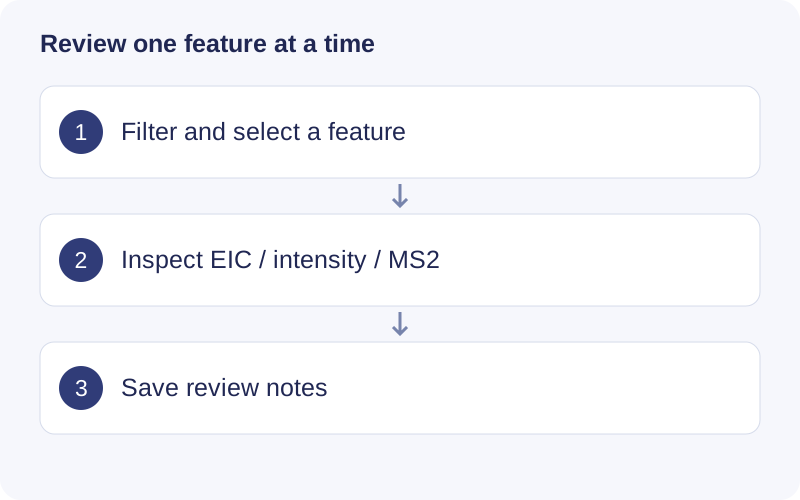
Begin with Clear filters if the table unexpectedly becomes empty. Select a feature, load its evidence, and check peak shape across representative samples. Save a review note with a reason. Exclude is a review label; use the cleaning/filtering operation when you intend to remove data from subsequent analysis.
Browse features
Open m/z–RT distribution in Data exploration and select a point or table row to inspect a feature. Use Find feature by ID for exact lookup and Previous feature / Next feature to move through the filtered, sorted list. Sort table columns and add a few sample-intensity columns as needed.
Windows 0.1.63 uses the earlier plot/table layout. The resizable workspace and column-view selector belong to macOS 0.1.65.
Filter and review
Feature filters subset the plot and table using MS2, annotations, m/z, RT, intensity, missingness and available QC/Blank metrics. QC RSD requires at least three valid QC observations. Filters do not change the saved matrix.
Assign Keep, Exclude, Needs confirmation, Favorite and notes as appropriate. Click Save review and use Export reviews CSV to save your decisions. Exclude is a label: use Data cleaning for an actual downstream exclusion and create a new result.
Inspect evidence
Depending on the saved input, inspect Peak evidence, Sample intensities, Injection drift, RT alignment, MS2 spectra, Annotation candidates and MS1 spectrum. An MS1 scan includes other ions recorded in that scan; it is not a purified spectrum of the selected compound. A high MS2 score does not by itself resolve all structural ambiguity.
Click Show peak shape, then expand Samples and extraction settings to change samples, m/z tolerance and RT window. The plot is an MS1 EIC in raw RT. Available dashed boundaries come from saved integration evidence. Initial extraction can read raw files and build a local scan cache; subsequent requests can reuse it. Missing or replaced raw files can prevent extraction.
Plot and table downloads
Drag to zoom; use Reset view or double-click to reset. Download plot offers the supported formats, dimensions and PNG DPI. Download CSV, where present, exports plot data. Read the adjacent information icon: some downloads regenerate the full plot instead of preserving the current zoom.
Use Download complete CSV or Results & export for complete tables. Pagination and limited previews do not define the full export scope.
Walkthrough: Locate the feature dataset before reviewing
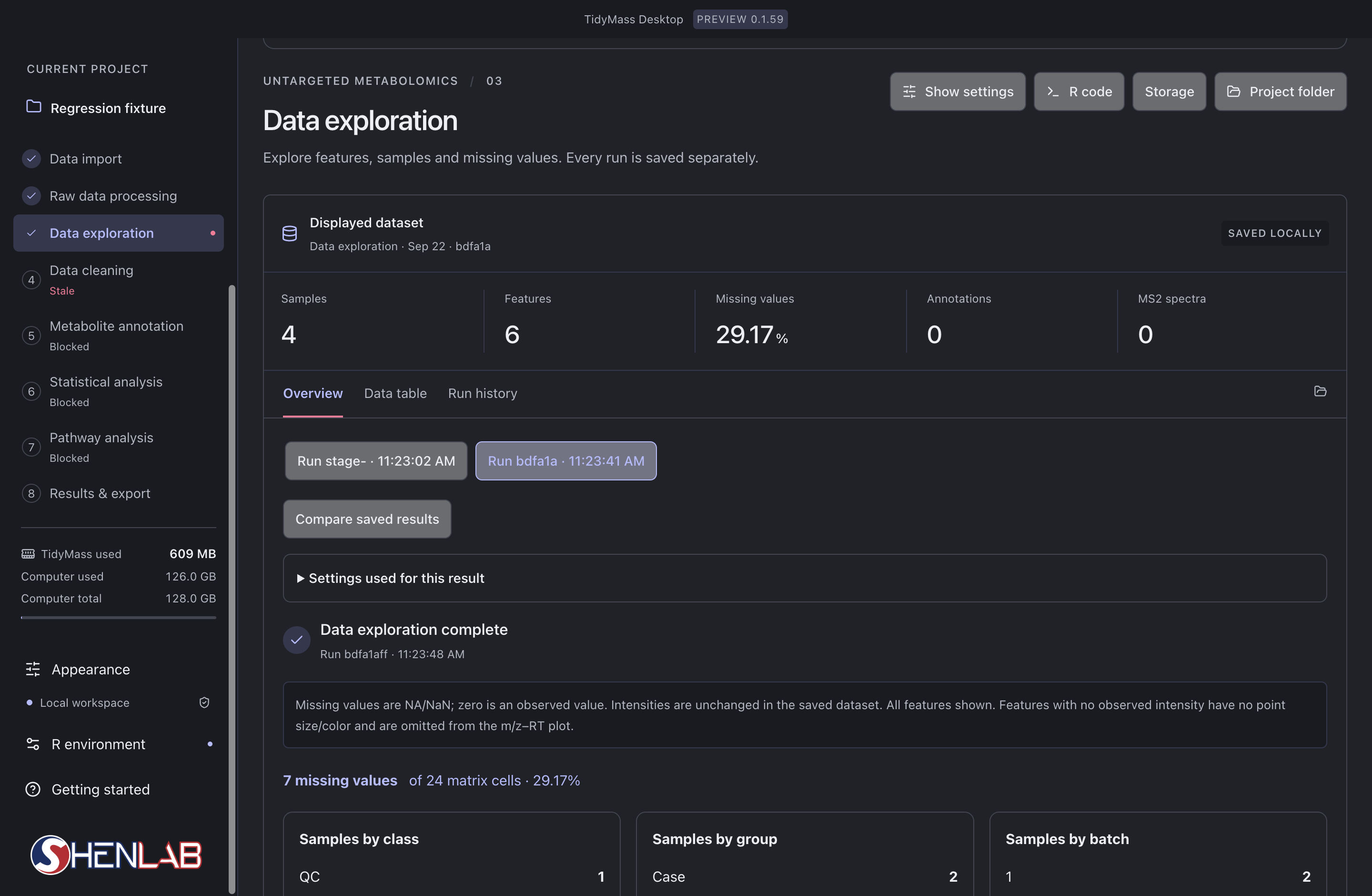
- Select Data exploration and verify the displayed run and feature count.
- Open Data table or the feature exploration plot to select an ID, then inspect the available intensities, MS2 and chromatographic evidence.
- When saving a review, retain the run ID and feature ID together. Do not assume a review label removes that feature from downstream calculations.