Tutorial contents · Applies to: 0.1.63
Visual guide: the route through this chapter
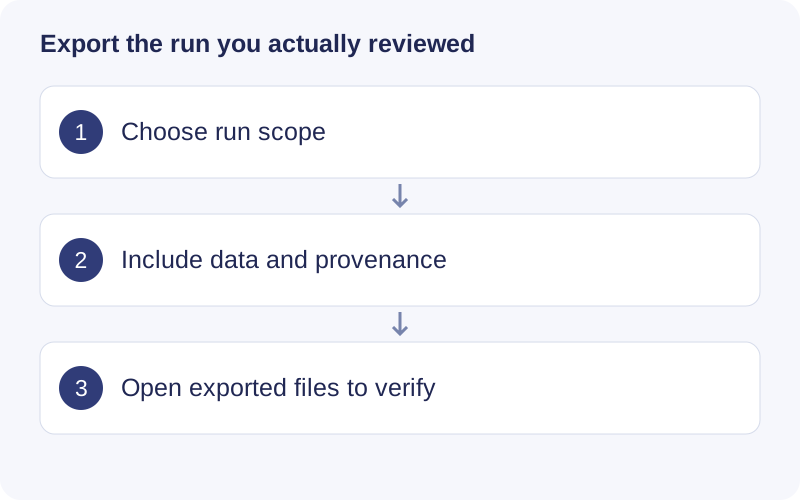
Select the intended runs before choosing file types. Export full tables, R objects, settings, code and logs where needed. Open one exported table and object to verify the IDs and dimensions. Keep separately referenced raw files and databases with the backup.
Save a figure
Click Download plot near the figure and choose an available format. Dimensions are in inches; PNG supports DPI. Some figures also provide Download CSV. Inspect the exported file: an R-generated export may use the full range rather than the current interactive zoom.
Export an analysis
In Results & export, select Selected run or All completed datasets / queries. For a single run, verify the run ID. Select R objects, complete tables, code/parameters/logs/session information and available figures, then click Export selected content.
A full project copy includes its saved artifacts independently of other individual-content checkboxes. External raw files and databases are not automatically part of that copy. Check and back them up separately. Trials also have run IDs; do not export a small trial as if it were the full analysis.
What the project preserves
Runs save parameters, input relationships, logs, results and execution/reproduction records. Code exposes these records, but a displayed record is not necessarily a self-contained script. Reproduction needs the referenced files, databases and a compatible R/package environment. Preserve sessionInfo.txt, request/settings files and reproduce.R where present.
Reopen a project
Choose Open project and the folder containing project.json. Saved steps remain accessible. Unfinished executions can appear as interrupted, and results depending on changed upstream inputs as stale. Restore missing run files or rerun the affected stage. Editing project status fields cannot create missing outputs.
Move or clean up
Copy the entire project directory and separately account for external raw files and databases. Internal result paths can be relocated with a project; external references may need repair. Use Storage for supported cache management and read its scope first. Removing scan caches can make the next EIC extraction slower.
Do not delete run folders during computation or open the same project for modification in multiple app instances. If a project lock is reported, close the other instance first.
Walkthrough: Choose export scope and contents
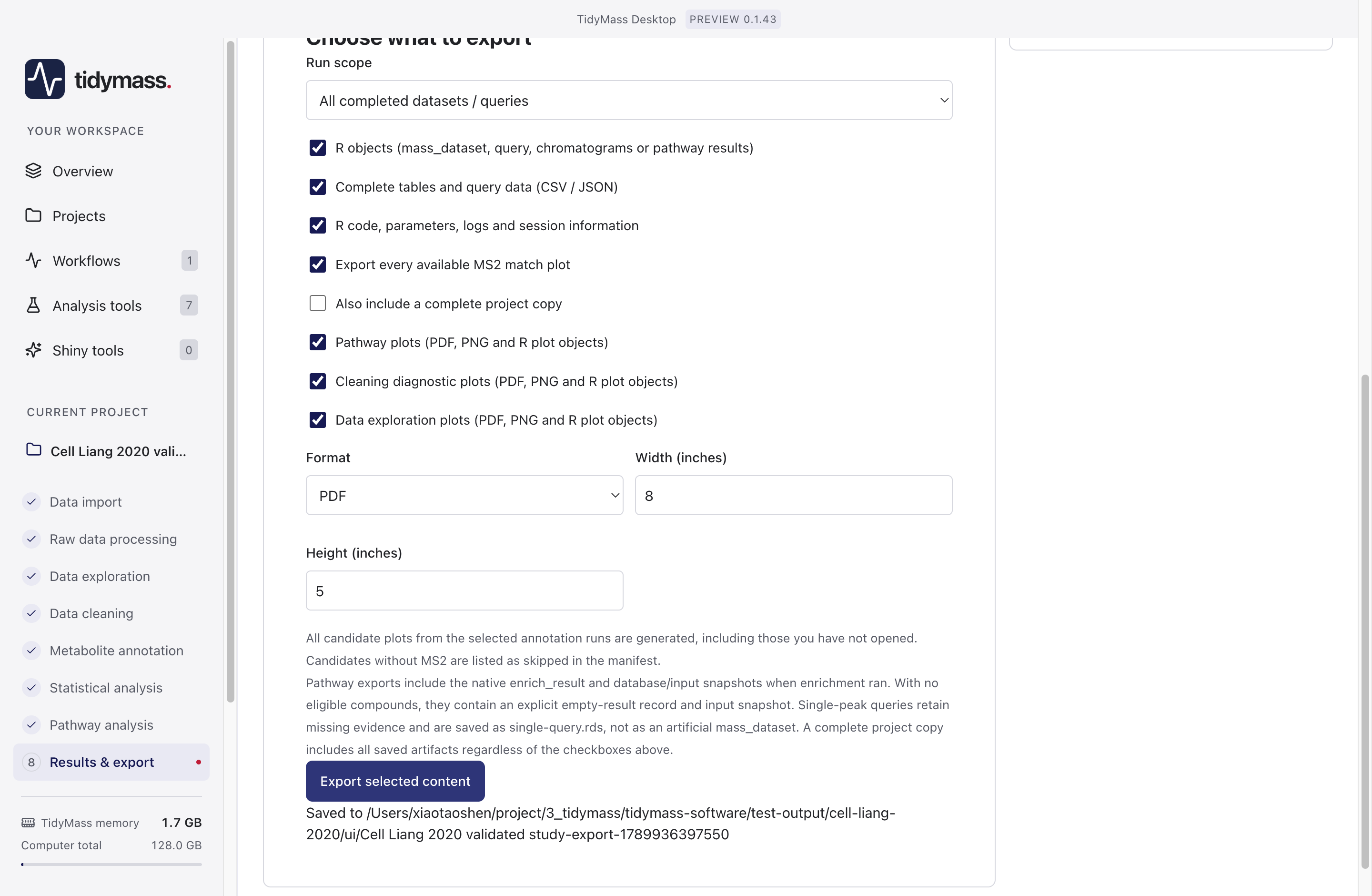
- Set Run scope to the execution or collection of executions you intend to preserve. Do this before choosing individual output types.
- Keep R objects for reanalysis, Complete tables for full numeric results, and code/parameters/logs/session information for provenance. Plot formats and dimensions affect figures, not the full table contents.
- Select a complete project copy if you need saved project artifacts as well. External raw files and databases must still be backed up separately.
- Click Export selected content. Open the destination and verify a table, object, and log. A visible paginated table is only a preview; the complete-table export is the reproducible record.