Tutorial contents · Applies to: 0.1.65
Visual guide: the route through this chapter
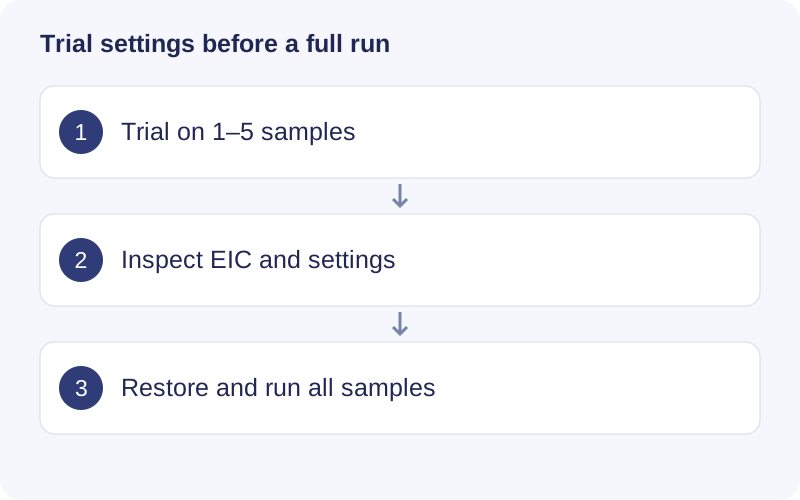
In macOS 0.1.65, select representative trial samples and inspect the trial result. The trial label distinguishes this from a formal workflow result. Restore the desired settings before the full run. Templates transfer parameter drafts, so reselect input paths, databases and comparison groups in the new project.
Try parameters on a small subset
Open Workflows → Raw data processing → Analysis settings → Parameter trial after importing files.
- Select 1–5 samples. The initial selection is up to the first three files, not an automatically representative subset; include relevant QCs, groups and batches yourself.
- Set peak-detection and other processing parameters in Analysis settings.
- Click Run parameter trial.
- Inspect sample/feature counts, missingness, warnings and saved settings.
- Select a feature under Inspect trial peak and click Show peak shape.
The selector uses a saved preview of up to 150 features. Complete tables remain in the run directory. The EIC supports zoom, reset and download.
Change parameters and run again to create a separate record. Compare saved results compares two runs and their settings. Keep the sample subset consistent when assessing parameter effects.
To apply a successful trial, open its settings snapshot, click Restore this run’s settings, review the parameters and run Process raw data. Formal processing uses the full imported manifest. A trial does not complete the formal step, unlock downstream analysis or replace existing formal results. Retrying a canceled trial starts its computation again.
Monitor work
Open Task center at the top of the window for the current R operation, elapsed time, logs, memory, cancellation and project task history. Stage-specific progress is not necessarily an overall workflow percentage.
You can close the panel and browse saved summaries, history, annotation tables and already-cached exploration results in the same project. New EIC/MS2 extraction or uncached computations must wait for the current R task. Parameter editing and project switching remain locked. Closing the panel does not cancel the task; use Cancel task and wait for its status to update. This interface does not imply multiple simultaneous R analyses.
Save a workflow template
Above the analysis panels, expand Workflow templates, enter New workflow template name, then click Save workflow template. A template collects parameters for seven analysis stages. It uses current drafts, saved settings or defaults, and records which stages had current successful results. Defaults saved in a template are not a validated method.
In another project, select the Workflow template, inspect Preview settings and its source version, and click Apply workflow template. Configure this project’s files, databases, sample choices and comparison groups before running each step.
Templates retain reusable parameters, software version and source-stage records. They omit raw/database paths, sample choices, trial subsets and comparison-group IDs. Export choices are separate. Applying a template changes parameter drafts; it does not execute the workflow, change historical results or bypass prerequisites. Templates are local to this computer’s TidyMass user-data directory.
Walkthrough: Inspect a parameter trial and template
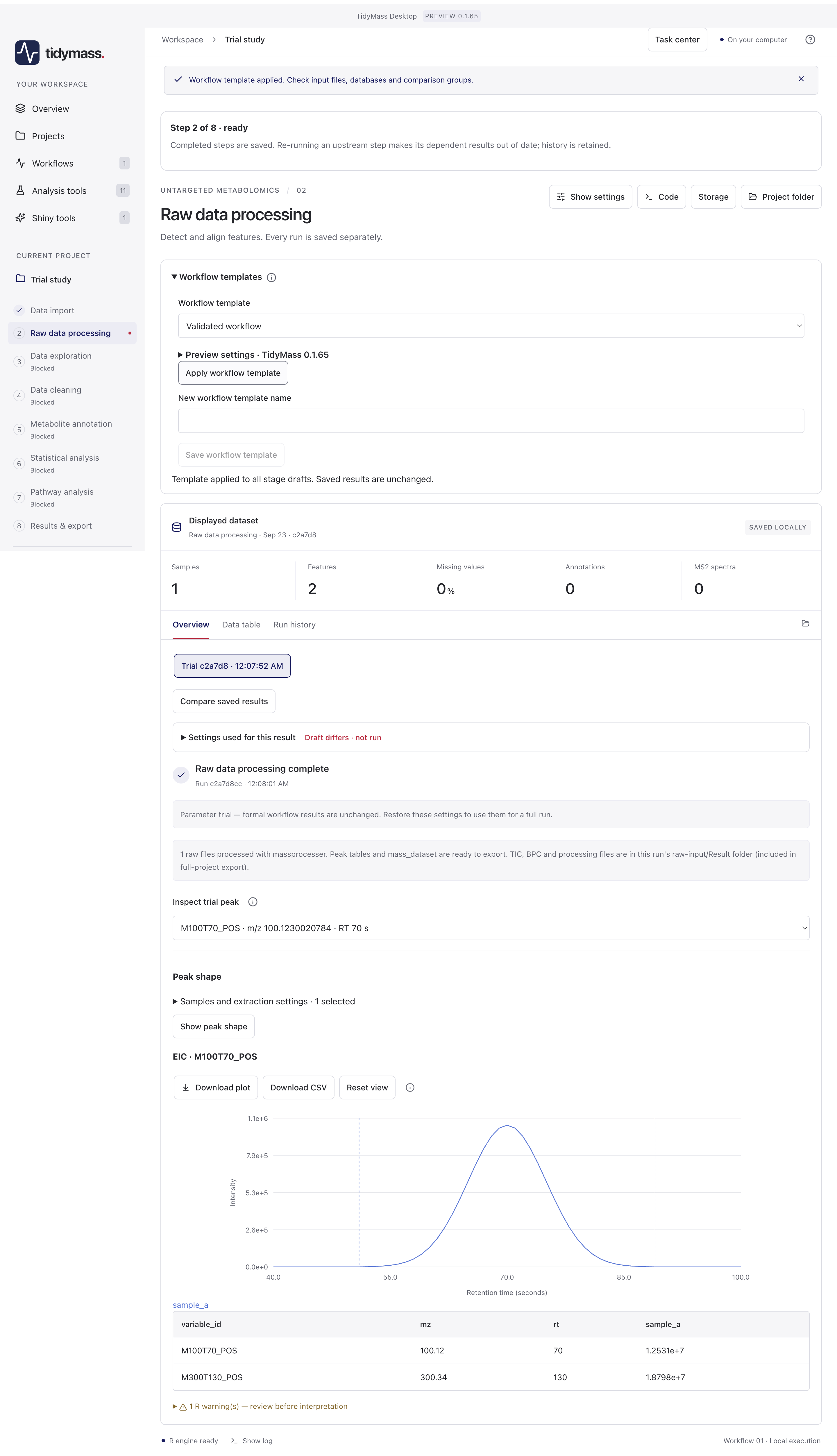
- In Workflow templates, preview a saved template before Apply workflow template. The banner asks you to recheck input files, databases and comparison groups.
- The result badge starts with Trial. This distinguishes the one-sample/two-feature example from a full formal run. A trial does not unlock all downstream stages.
- Expand Settings used for this result. Draft differs means current parameter drafts differ from those that produced this saved result.
- Choose a peak in Inspect trial peak and click Show peak shape. Inspect its apex, baseline and extraction boundaries. Restore suitable settings and process the complete imported dataset when satisfied.