Tutorial contents · Applies to: 0.1.65
Shiny tools installs and starts complete third-party Shiny apps. R environment inspects R and manages additional packages. Installing a missing dependency does not require registering it as a separate app. The dedicated TidyMass R Shiny tutorial is a separate guide under TUTORIALS → R shiny.
Visual guide: the route through this chapter
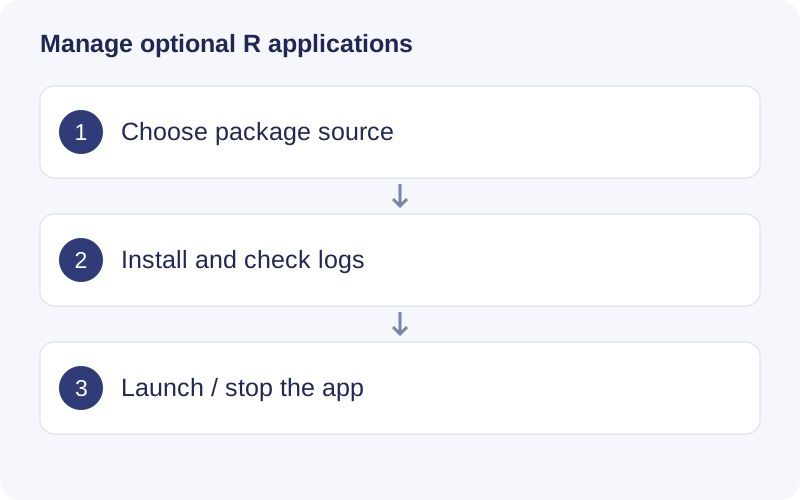
Use R environment to inspect installed packages and Shiny tools to manage application launchers. Check the package name and startup function. If launch fails, read the tool log and identify a missing package, system library or startup error before retrying.
Install and start a tool
- Open Shiny tools → Install a Shiny tool.
- Select GitHub, CRAN or Bioconductor and enter the repository or package.
- If known, enter R package name and Startup function; otherwise try automatic detection.
- Review the source, use the interface’s trust checkbox and click Install tool.
- Inspect View log, then use Open tool under Installed tools.
A repository name is not always its R package name. Do not enter a complete URL as the package name. These tools execute local R code and can have their own dependencies.
Back to installed tools returns to the list without necessarily stopping the process. Use Stop tool to release its resources.
Configure startup
Under Manage tool, select Auto-detect, Exported function, Package app_ui / app_server, or Shiny application folder as appropriate. Folder mode starts an app directory using shiny::runApp().
For an exported startup function, enter the function name alone, such as run_featuremap, not a call with parentheses or a namespace. runApp belongs to shiny; do not assume a third-party package exports it.
Install missing packages
Open R environment, identify the exact missing package, select the correct source and review the installation log. For example, org.Mm.eg.db is a Bioconductor package. Stop and restart the affected tool after installation.
Additional package libraries are managed separately from the app’s bundled library, and some tools have private dependency libraries. Check the actual loaded version when a package appears installed but the error persists. Installing from source can require system libraries or compilers; find the first substantive error rather than repeatedly reinstalling unrelated R packages.
Walkthrough: Launch an installed Shiny tool
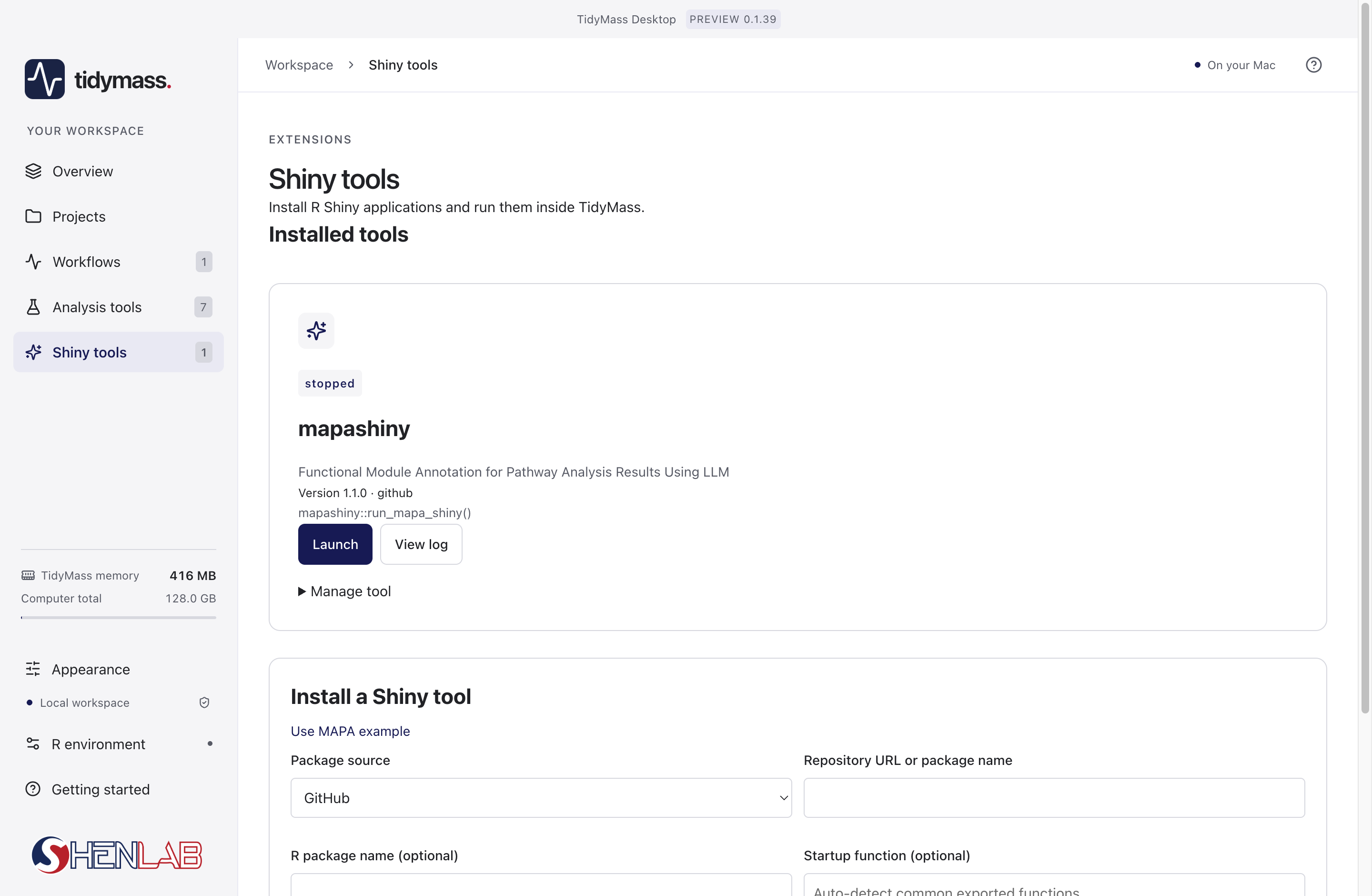
- In Installed tools, read the package name, version and startup function before launching. The stopped badge means the application process is not running.
- Click Launch once and wait for startup. If startup fails, open View log and use the first error to identify the dependency or function that failed.
- For another tool, choose the correct package source and repository/package name in the installation form. An installed R package needs a valid Shiny startup function to become a launchable tool.
- Save results inside the launched application before stopping it. Third-party apps have their own input formats and export controls.