Tutorial contents · Applies to: 0.1.65
| Symptom | What to check |
|---|---|
| A step is unavailable | Confirm its preceding formal step has a current successful result |
| Downstream results are stale | Rerun stages affected by the changed upstream input |
| A trial completed but processing remains unfinished | Run Process raw data for the formal dataset |
| A table and export have different row counts | Check filters, pagination, preview limits and selected run |
| An excluded feature remains downstream | Manual Exclude is a review label; run an actual cleaning operation |
| A plot stays unchanged after editing settings | Run again; the current plot belongs to saved results |
| MS2 or annotation fields show No/NA | Check spectrum association and whether annotation was run |
| Sample IDs do not match | Check basenames, case, leading zeros, duplicates and missing records |
| Group column not found | Select the actual column name in the sample sheet |
| QC filtering has no QCs | Verify quantitative QC classes or disable an inapplicable QC-dependent operation |
| Missing values remain before statistics | Review the input version, filtering and imputation |
| Paired analysis fails | Check unique subject IDs and matching observations in both groups |
| No pathway results | Inspect identifiers, input selection, database coverage and background; empty output may be valid |
| Peak extraction cannot find files | Check for moved, renamed or replaced raw files |
R busy means the requested operation needs the occupied R worker. Saved summaries and cached results can be viewed where supported, but a second analysis must wait. Closing a task panel does not cancel computation. Use the cancellation control and wait for confirmation. Recovery resumes between saved steps, not within interrupted peak detection.
When memory is high, compare Computer used with TidyMass used, reduce worker count or trial size, and inspect other system processes. More threads do not always make analysis faster.
For Missing package, install the package from its correct source and restart the tool. For Invalid R package name, check whether a URL or repository name was entered instead. For not an exported object, inspect the startup function and mode. Missing images or styles in a Shiny app can reflect static-asset paths rather than text encoding. Read the first substantive error and final installation state; a warning alone is not necessarily a failure.
When reporting an issue, include the app and OS versions, tool/stage, run ID, reproduction steps and relevant logs. A few de-identified sample-information rows can clarify input problems. Preserve the failing project and logs before clearing data, and check shared logs for private sample names and paths.
Visual guide: the route through this chapter
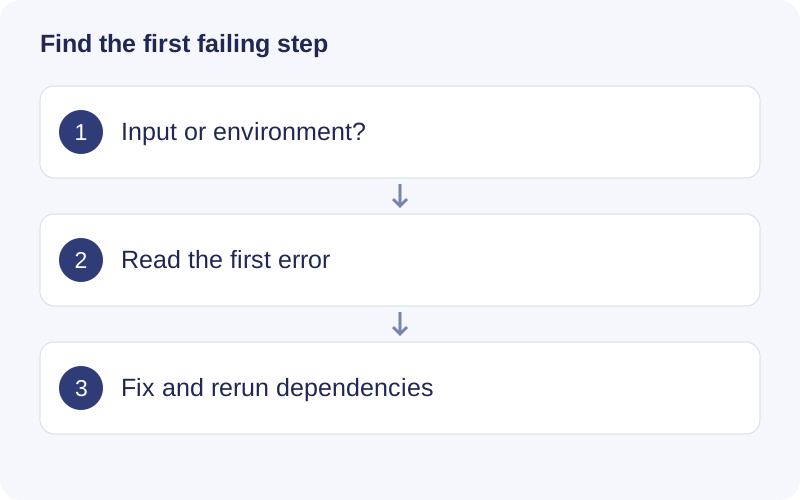
Record the version, project stage and first error message. Check file existence and permissions, then R readiness and package availability. If an upstream result changes, rerun dependent stale stages. Avoid repeatedly launching the same failing job without changing its cause.
Walkthrough: Read a saved workflow result
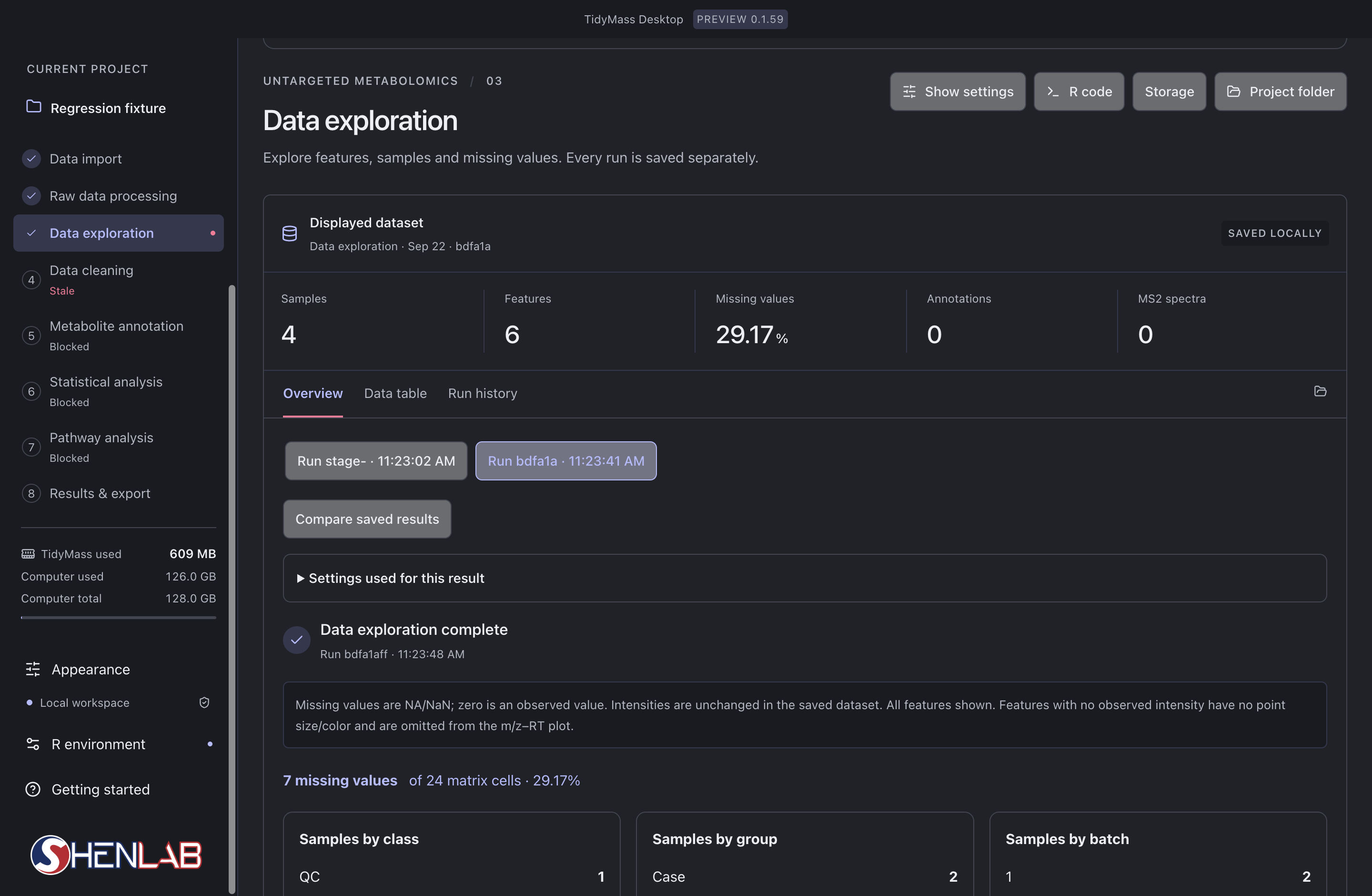
- Read the left-hand stage list first. The selected stage is Data exploration; Data cleaning is marked Stale because its upstream input changed. Blocked stages still lack an eligible input.
- In Displayed dataset, check the run identifier, Samples, Features and Missing values. Here 7 of 24 cells are missing, giving 29.17%; this is a matrix-cell percentage, not the percentage of completely missing samples.
- Select a saved run and expand Settings used for this result. Compare saved results only after checking that their input and parameters answer the same question.
- After checking the result, rerun stale dependent stages in order. If a stage fails, inspect its first error before changing parameters or repeating the task.